

logo
  • Projects
  • Articles
logo
  • Projects
  • Articles
Youssef Wael logo

Front-End development and UI engineering with a focus on performance, clarity, and conversion.

Navigation

  • Home
  • Projects
    Front-endReact.jsNext.jsUI/UXWordpress
  • Articles
    FrontendBackendWordPressArtificial IntelligenceDevOps & HostingBusiness & TechDev Tools
  • Services
  • About
  • Contact

Social

©

© 2026 Youssef Wael. All rights reserved.

Implementing Automated CI/CD Pipelines for Kubernetes Microservices
DevOps & Hosting

Implementing Automated CI/CD Pipelines for Kubernetes Microservices

A practical guide to CI/CD pipeline implementation using GitHub Actions and Kubernetes for cloud-native applications.

August 22, 2026
Share

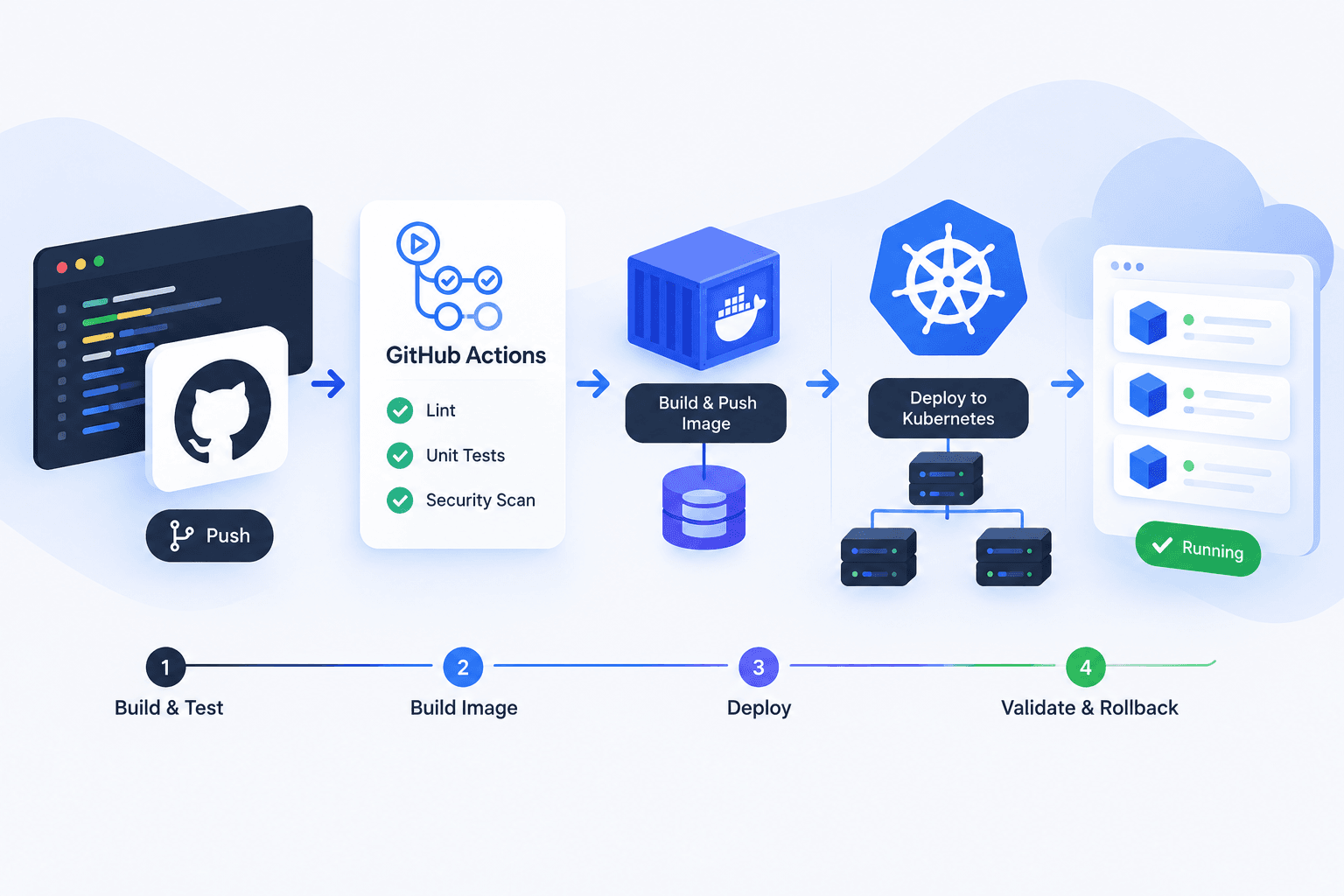
Efficient CI/CD pipeline implementation is essential for managing the complexity of cloud-native microservices. By automating the build, test, and deployment phases, development teams can deliver updates faster and with higher reliability. This tutorial focuses on the synergy between GitHub Actions and Kubernetes to create a seamless deployment flow.

Step 1: Containerizing the Application
The foundation of a cloud-native pipeline is containerization. Each microservice must have a dedicated Dockerfile that defines its environment and dependencies. During the initial stage of the pipeline, the system builds these Docker images. Using multi-stage builds is a best practice here to ensure that the final production image is lightweight and secure, containing only the necessary runtime components.

Step 2: Orchestrating Workflows with GitHub Actions
GitHub Actions serves as the automation engine. You define your workflow in a YAML file within the repository. This file specifies triggers, such as a push to the main branch or a pull request. The workflow should include jobs for linting, running unit tests, and security scanning. Only after these checks pass does the pipeline proceed to build the container image and push it to a private or public registry.

Step 3: Deploying to Kubernetes Clusters
The final stage of CI/CD pipeline implementation involves updating the Kubernetes cluster. The pipeline uses stored secrets to authenticate with the cluster API. It then updates the Kubernetes deployment manifests or Helm charts with the new image tag. Using rolling updates ensures that the application remains available during the transition, as Kubernetes replaces old pods with new ones incrementally.

Step 4: Validation and Rollback Strategies
Automation does not stop at deployment. Post-deployment health checks are vital to verify that the new pods are ready to accept traffic. If the health checks fail, the pipeline should be configured to trigger an automatic rollback to the previous stable version. This safeguards the production environment against unforeseen regressions or configuration errors.

Conclusion
Successful CI/CD pipeline implementation transforms how teams manage microservices. By leveraging GitHub Actions for automation and Kubernetes for orchestration, you create a resilient system that supports rapid iteration and high availability. This approach minimizes manual errors and allows developers to focus on writing code rather than managing infrastructure.

Related articles

Best Practices for CI/CD Pipeline Automation in Multi-Cloud Environments

Best Practices for CI/CD Pipeline Automation in Multi-Cloud Environments

August 22, 2026

A strategic guide to reducing deployment friction and optimizing CI/CD pipeline automation across AWS, Azure, and GCP.

Serverless vs Traditional VPS Hosting: Which Is Best for Arabic E‑commerce Startups?

Serverless vs Traditional VPS Hosting: Which Is Best for Arabic E‑commerce Startups?

August 22, 2026

A concise side‑by‑side comparison of cost, latency, scalability, and Arabic language support to guide founders.

CVE-2026-31431 (Copy Fail) Linux Kernel Vulnerability: Full Guide & Fix for Privilege Escalation

CVE-2026-31431 (Copy Fail) Linux Kernel Vulnerability: Full Guide & Fix for Privilege Escalation

May 4, 2026

Learn about the CVE-2026-31431 Linux kernel vulnerability, its impact, and how to protect your system from local privilege escalation attacks.

CloudPanel: A Modern Control Panel for Easy and Professional Server Management

CloudPanel: A Modern Control Panel for Easy and Professional Server Management

February 2, 2026

CloudPanel is a free and lightweight control panel for managing cloud servers, focused on high performance, strong security, and ease of use—making it a powerful choice for developers and website owners.

Coolify: The Open-Source Platform That Simplifies App Deployment and Server Management

Coolify: The Open-Source Platform That Simplifies App Deployment and Server Management

October 29, 2025

Coolify is an open-source platform designed to make deploying applications and managing infrastructure easier and more flexible. It runs on your own servers and provides a ready-to-use environment for any type of app